Your Classroom deadlines, turned into a study plan.
Clingy reads your Google Classroom, fits study sessions around your calendar, and keeps a small mascot on your screen to nudge you. It all stays on your phone.
Download for AndroidChecking the latest version…
What it does
Five things, done without asking you to set anything up.
-
It decides what's urgent
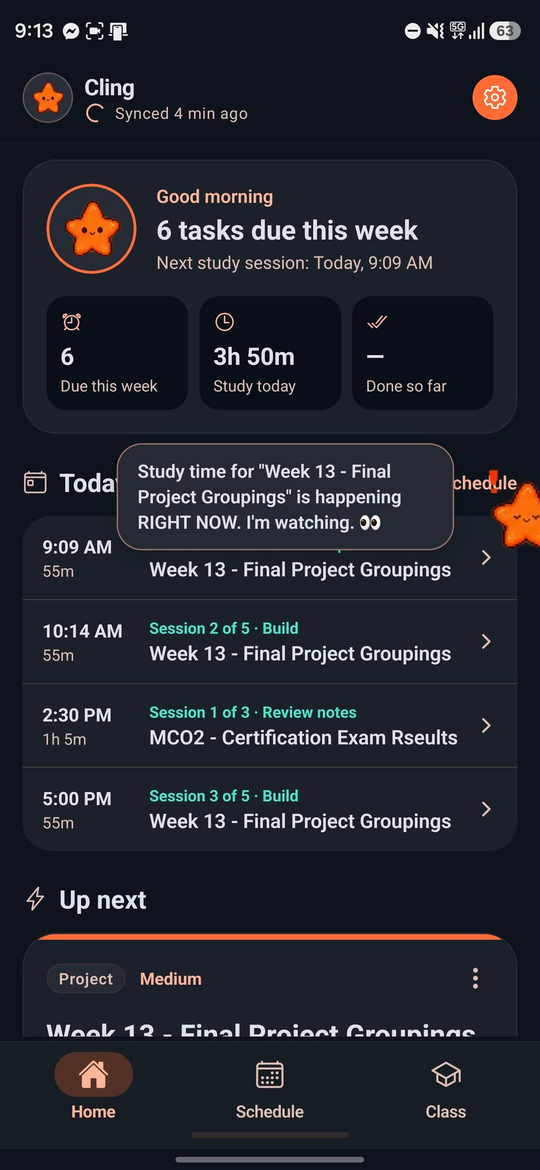
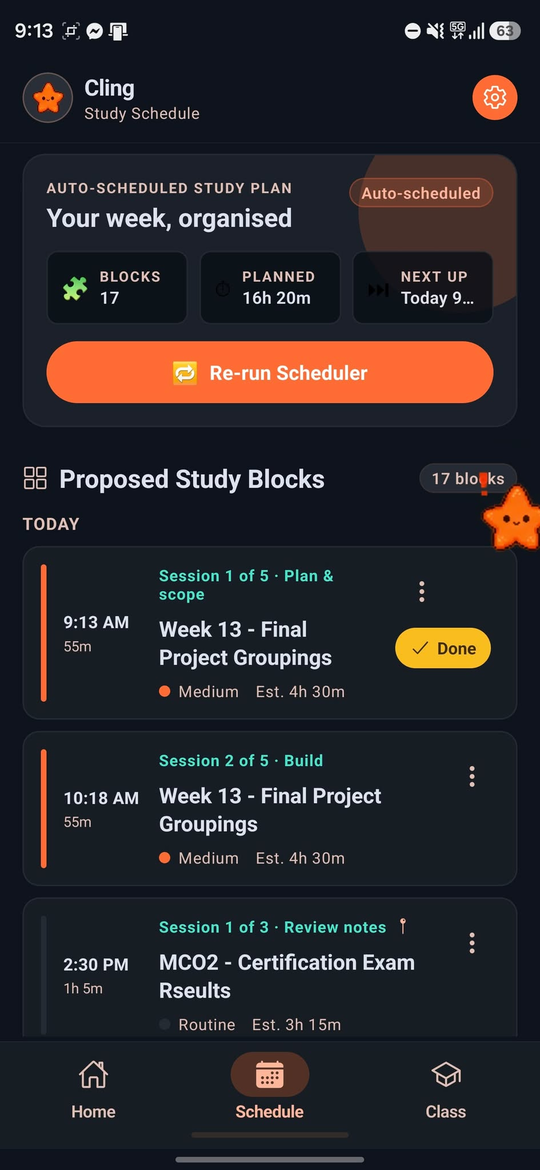
Each assignment is scored on its due date, what's riding on it and how much work it needs. A small language model running on your phone reads the title to tell an exam from a worksheet from a project.
-
It plans around your day
Work is split into sessions of about an hour, spread out so you finish a day early, and fitted between your calendar events. Drag a session somewhere else and the rest of the plan rearranges itself around it.
-
It knows your classes
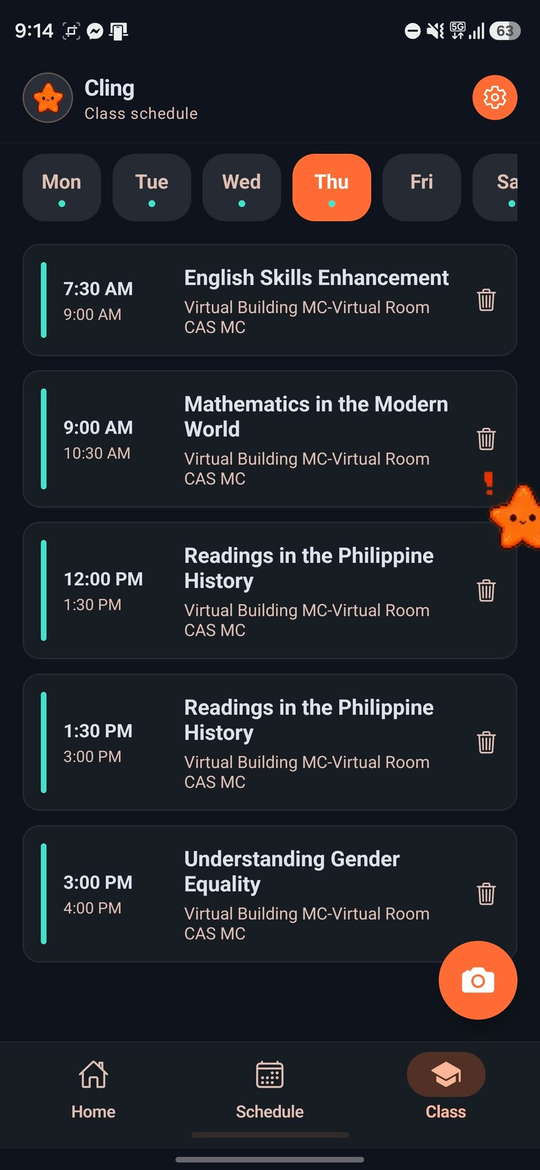
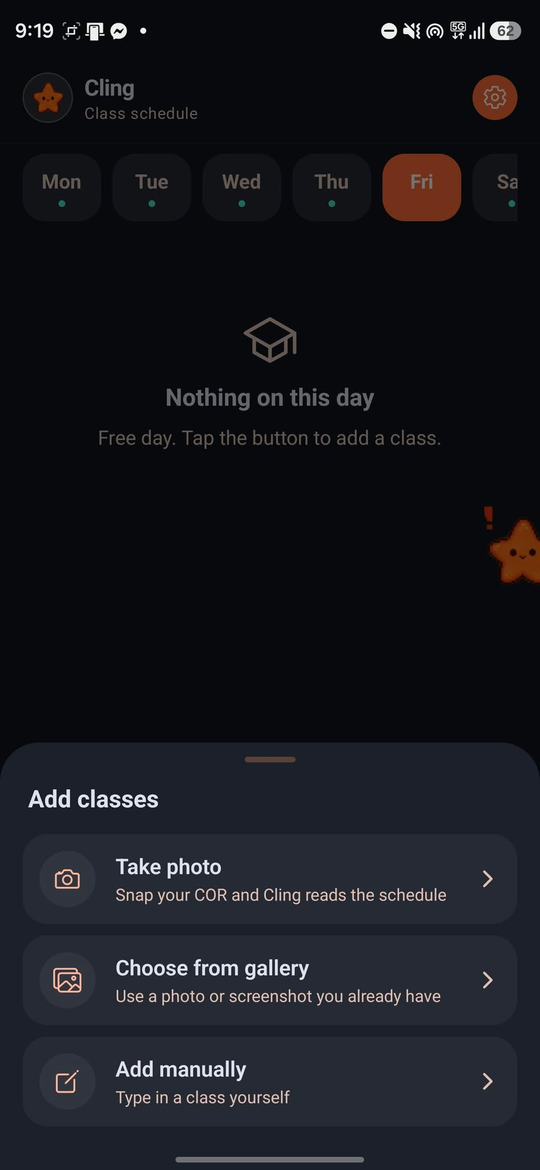
Add them by hand or snap a photo or screenshot of your schedule, in any format, and Cling reads it for you. You check it before it saves. Study sessions are never planned over class time, and classes show up on your Google Calendar too.
-
It works without a signal
Assignments, your plan and your reminders are all saved on the phone. It only goes online when you sign in or ask for fresh data.
-
Cling stays with you
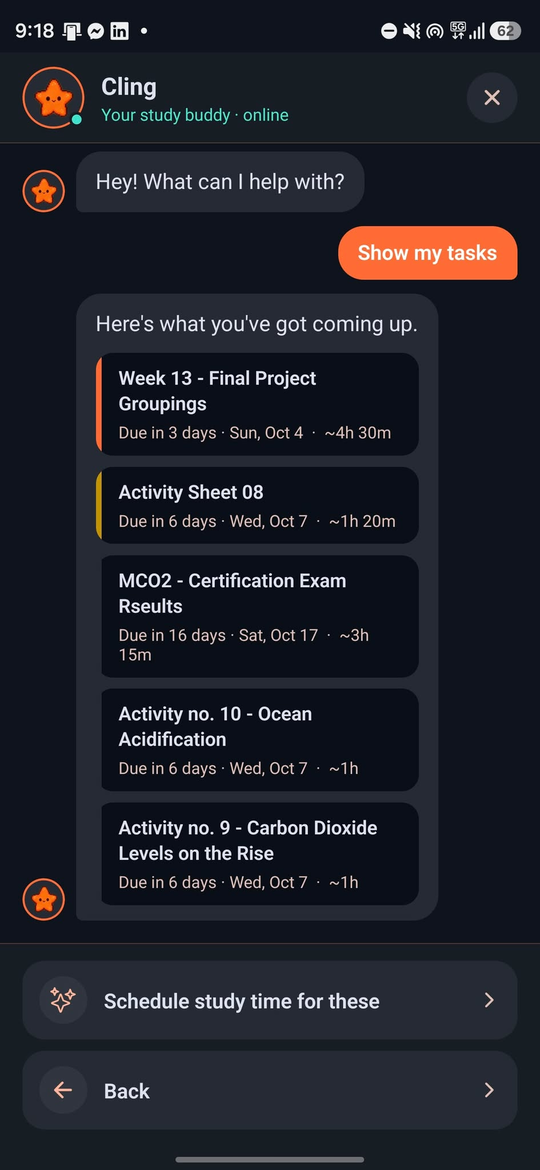
A little star can float over your other apps and pop up now and then: a class about to start, a deadline, or a reminder to sleep when an exam is close. Tap it to ask what's next or to plan study time, and drag it to the bottom of the screen to send it away.
On the phone
Screenshots from a real device, with real coursework.
Download
Android phones with a 64-bit processor, which is nearly every phone from the last several years.
- Loading releases…
Installing
- Download the APK on your phone.
- Open it. If Android asks, allow installs from this source (Settings, then Install unknown apps).
- Open Clingy and sign in with Google to bring in Classroom and Calendar.